Author: Meitec Technical Team
Reviewed by: LED Display Product Specialist
Category: COB LED Display Technology
Last Updated: October 2026
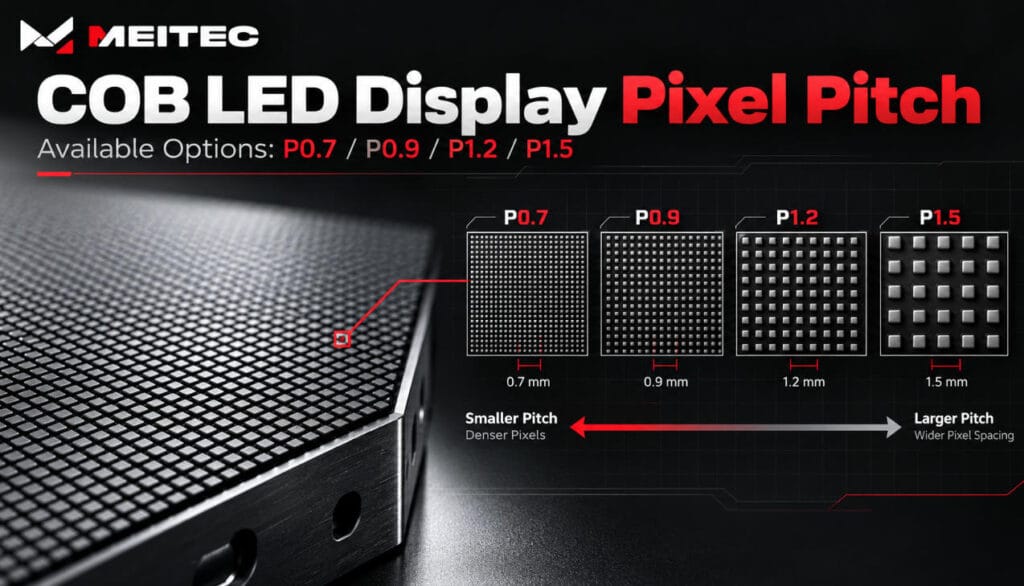
COB (Chip on Board) LED displays offer various fine pixel pitch configurations, typically including P0.7, P0.9, P1.2, and P1.5. These configurations are specifically designed for indoor applications that require high pixel density, fine image reproduction, and relatively short viewing distances. Pixel pitch determines the physical distance between adjacent pixels. It directly affects display resolution, pixel density, screen size, viewing experience, and project costs.
Unlike traditional LED displays designed for long-distance viewing, fine-pitch COB displays are commonly used in control rooms, corporate meeting spaces, broadcast studios, and professional visualization environments. However, a smaller pixel pitch does not automatically make a display more suitable for every installation scenario. The correct specifications depend on the screen size, minimum viewing distance, content requirements, and available budget.
What Does Pixel Pitch Mean in a COB LED Display?
Pixel pitch is the center-to-center distance between two adjacent pixels on an LED display, measured in millimeters. For example, a P0.9 COB display has a nominal pixel pitch of approximately 0.9 mm, while a P1.5 display has a nominal pitch of approximately 1.5 mm. The smaller this distance, the more pixels can fit within the same physical display area.
This relationship affects two important characteristics:
- Pixel density: A smaller pitch produces more pixels per square meter.
- Physical resolution: At the same screen dimensions, a smaller pitch provides more horizontal and vertical pixels.
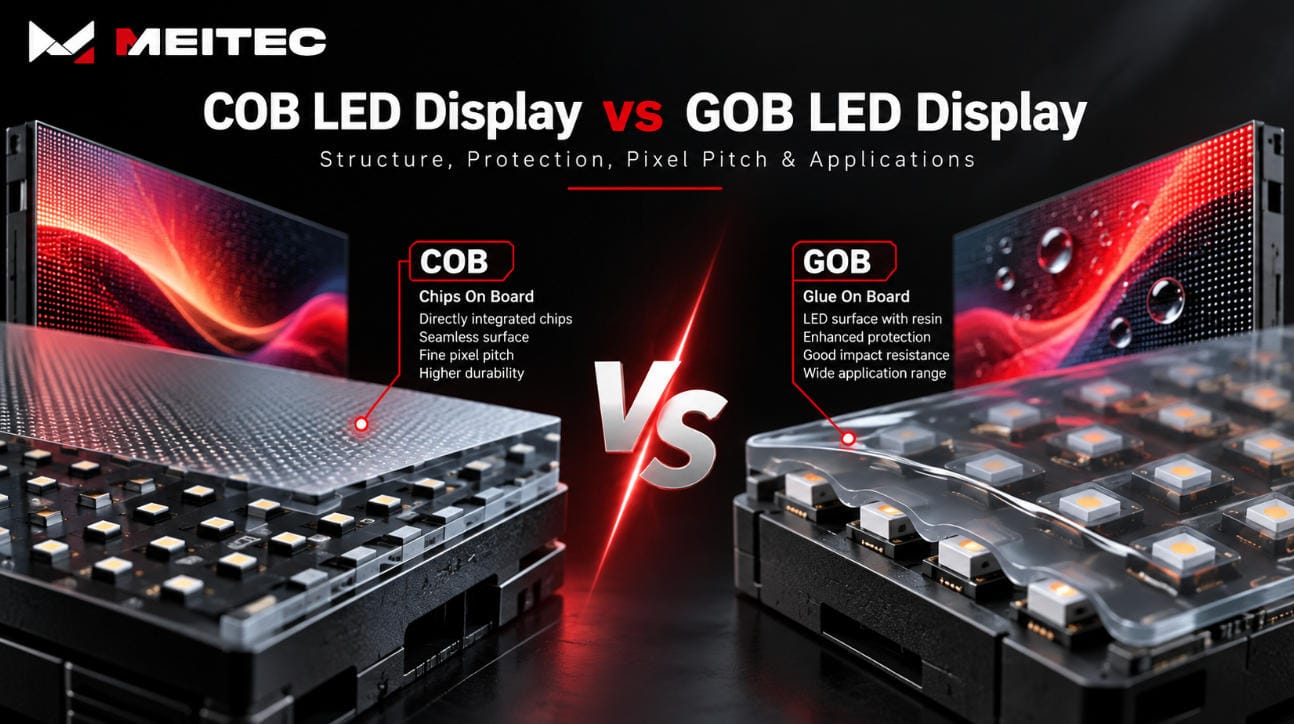
For an LED screen with a fixed physical size, reducing pixel pitch increases resolution without increasing the screen’s dimensions. Pixel pitch should not be confused with LED chip size. Pixel pitch describes the spacing between complete display pixels, while chip size refers to the dimensions of the semiconductor devices used within those pixels. COB packaging integrates LED chips directly onto a circuit substrate and encapsulates the display surface. This structure is particularly useful for manufacturing densely arranged pixels while providing protection against physical contact and environmental contamination.
Common COB LED Display Pixel Pitch Options
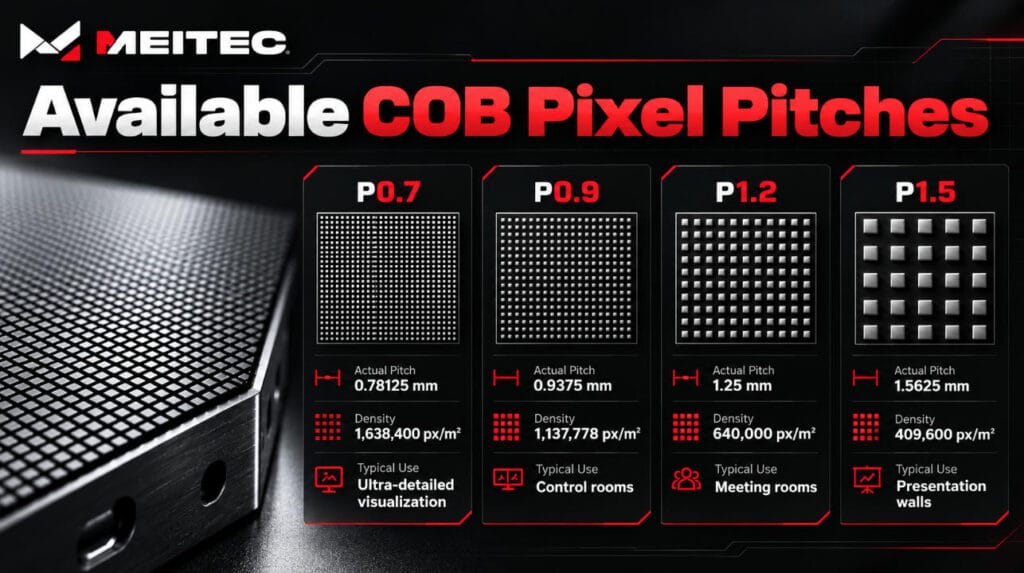
Commercial COB LED displays are commonly available in fine-pitch configurations around 0.7 mm to 1.5 mm, although the wider industry offers additional specifications depending on manufacturing technology and product design. At Meitec, the currently published NOC COB product families cover four nominal pitch categories: P0.7, P0.9, P1.2, and P1.5.
The following table summarizes the actual pixel spacing and theoretical pixel density for these configurations.
| Nominal pixel pitch | Actual pixel pitch | Pixel density | Typical application |
|---|---|---|---|
| P0.7 | 0.78125 mm | 1,638,400 pixels/m² | Ultra-detailed visualization |
| P0.9 | 0.9375 mm | Approx. 1,137,778 pixels/m² | Control rooms, professional monitoring |
| P1.2 | 1.25 mm | 640,000 pixels/m² | Meeting rooms, studios, control centers |
| P1.5 | 1.5625 mm | 409,600 pixels/m² | Corporate displays, presentation walls |
Note: Nominal product names are rounded for convenience. Actual pixel pitch should be used for resolution calculations and technical comparisons. Application categories are illustrative, not fixed requirements.
P0.7 COB LED Display
P0.7 belongs to the ultra-fine-pitch category and is intended for applications requiring a large number of pixels within a limited physical area. With an actual pitch of 0.78125 mm, this configuration provides approximately 1.64 million pixels per square meter. The high pixel density is useful when the display must reproduce small text, detailed charts, maps, complex interfaces, or multiple information windows. Typical applications include command centers, professional data visualization environments, and other installations where operators view detailed content from relatively short distances.
However, P0.7 requires more display pixels, driving resources, and processing capacity than larger-pitch alternatives of equivalent physical size. Its benefits should therefore be evaluated against the actual amount of information the screen needs to display.
P0.9 COB LED Display
P0.9 is a fine-pitch configuration that offers high pixel density without requiring the extremely dense structure of P0.7. Meitec’s published P0.9 models use an actual pixel pitch of 0.9375 mm, producing approximately 1.14 million pixels per square meter.
This configuration is useful for control rooms, security monitoring centers, broadcasting environments, and professional indoor displays. Compared with P1.2, P0.9 provides greater resolution within the same physical screen area. This can be particularly valuable when multiple dashboards or small interface elements must remain readable.
Nevertheless, projects displaying mainly photographs, large presentation slides, or video may not always benefit significantly from the additional pixels.
P1.2 COB LED Display
P1.2 COB displays commonly use an actual pixel pitch of 1.25 mm.
At this spacing, the display provides 640,000 pixels per square meter.
P1.2 is a practical option for many indoor applications, including conference rooms, corporate presentation environments, education facilities, and professional monitoring systems.
It provides a useful balance between pixel density, system complexity, and physical screen size.
For example, a display installed in a medium-sized meeting room may provide sufficient detail with P1.2, especially when viewers are positioned several meters from the screen.
The final decision should still consider text size, screen dimensions, and minimum viewing distance.
P1.5 COB LED Display
P1.5 configurations typically use an actual pixel pitch of 1.5625 mm in Meitec’s current NOC product families.
This provides 409,600 pixels per square meter.
P1.5 has lower pixel density than P0.9 or P1.2, but it can be suitable for larger indoor LED walls where the audience views content from greater distances.
Typical uses include corporate presentation walls, exhibition spaces, premium commercial interiors, and meeting rooms.
For installations emphasizing video, graphics, and presentations rather than dense technical information, P1.5 can be a technically appropriate choice.
Selecting P1.5 instead of a finer pitch may also reduce system costs, depending on the product series, wall configuration, and project requirements.
Which COB Pixel Pitches Does Meitec Offer?
Meitec currently publishes three main COB display product families: NOC Pro, NOC Plus, and NOC.
These series differ in their supported pixel pitches, display architecture, optical specifications, and application requirements.
| Product series | Nominal pixel pitches | Actual pixel pitches |
|---|---|---|
| NOC Pro | P0.7 / P0.9 / P1.2 | 0.78125 / 0.9375 / 1.25 mm |
| NOC Plus | P0.9 / P1.2 / P1.5 | 0.9375 / 1.25 / 1.5625 mm |
| NOC | P0.9 / P1.2 / P1.5 | 0.9375 / 1.25 / 1.5625 mm |
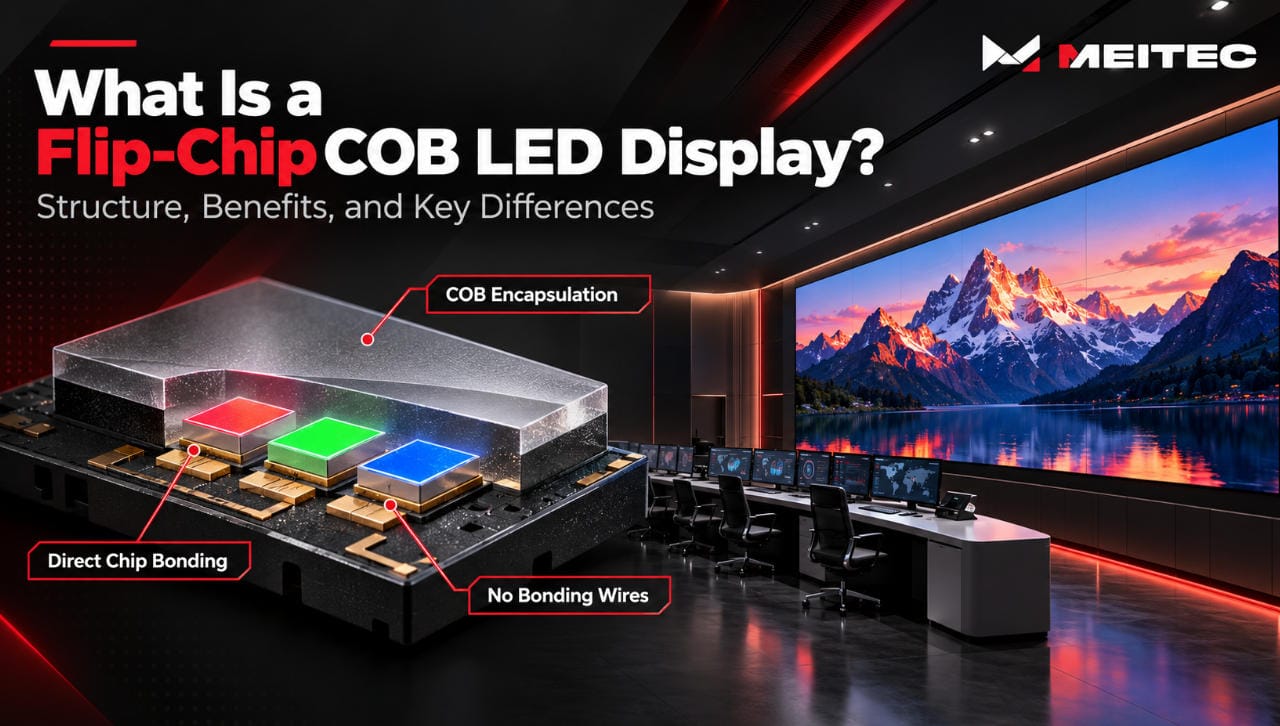
The NOC Pro Series uses Full Flip-Chip COB technology with a common cathode driving architecture. It is designed for professional environments where energy efficiency, high brightness, and reliable operation are important.
The NOC Plus Series also incorporates Full Flip-Chip COB packaging, with an emphasis on fine-pitch visual performance, surface protection, and long-term stability.
The NOC Series provides fine-pitch COB configurations for indoor installations requiring a thin cabinet structure, high contrast, and front maintenance.
For a complete comparison of the available configurations, see the Meitec COB LED Display product range.
How Does Pixel Pitch Affect COB LED Display Resolution?
Pixel pitch and physical screen dimensions determine the number of pixels in an LED display.
The basic calculation is:

These equations provide the theoretical resolution. In actual projects, screen dimensions must also be compatible with the selected module and cabinet geometry. For example, Meitec’s NOC Pro Series uses cabinets measuring 600 × 337.5 mm.
The published cabinet resolutions are:
| Actual pixel pitch | Cabinet resolution | Pixels per cabinet |
|---|---|---|
| 0.78125 mm | 768 × 432 | 331,776 |
| 0.9375 mm | 640 × 360 | 230,400 |
| 1.25 mm | 480 × 270 | 129,600 |
All three configurations occupy the same physical cabinet area, but the number of pixels differs substantially.
This demonstrates why pixel pitch has such a direct influence on image detail.
Example: Designing a Full HD COB LED Wall
Suppose a project requires a native Full HD resolution of 1920 × 1080 pixels.
The approximate active display dimensions for three pixel pitches would be:
| Pixel pitch | Width | Height |
|---|---|---|
| 0.9375 mm | 1.80 m | 1.0125 m |
| 1.25 mm | 2.40 m | 1.35 m |
| 1.5625 mm | 3.00 m | 1.6875 m |
These values are calculated from the actual pixel spacing and represent achievable display dimensions when using compatible cabinet arrangements.
The example demonstrates an important relationship: the same native resolution requires a larger physical display when pixel pitch increases.
Conversely, if the wall dimensions remain fixed, smaller pixel pitch provides higher resolution.
This distinction is essential when comparing COB LED quotations.
How to Choose the Right COB LED Pixel Pitch
The selection process should begin with the intended application rather than the smallest available pixel pitch.
1. Determine the Minimum Viewing Distance
The distance between viewers and the screen affects how easily individual pixels can be distinguished.
Smaller-pitch COB displays generally provide a smoother visual experience at shorter viewing distances.
However, no single viewing-distance formula guarantees the ideal pitch for every environment.
Text size, visual acuity, ambient light, brightness, and the type of content all influence perceived image quality.
A control room operator examining detailed information from a nearby workstation has different requirements from an audience watching a corporate presentation across a meeting room.
2. Define the Required Native Resolution
Before selecting pixel pitch, determine whether the installation requires Full HD, 4K, or another target resolution.
Then calculate whether the chosen display dimensions can accommodate that resolution.
For example, a 4K screen requires 3840 × 2160 physical pixels.
At an actual pitch of 0.9375 mm, a native 4K display requires an active area of approximately 3.6 × 2.025 meters.
At 1.25 mm, it requires approximately 4.8 × 2.7 meters.
Both configurations can produce native 4K, but the required physical dimensions are different.
A video processor can scale content to a display’s native resolution. However, scaling cannot create physical pixels that the display does not contain.
3. Consider the Type of Content
Content requirements are often more important than the headline resolution specification.
Displays showing monitoring dashboards, spreadsheets, detailed maps, or fine text may benefit from higher pixel density.
Screens used mainly for corporate videos, branding graphics, and presentation slides may perform adequately with larger pixel pitches.
The smallest pitch should only be selected when its additional pixels provide meaningful visual or operational benefits.
4. Evaluate Total System Cost
Pixel pitch affects more than the initial display quotation.
Higher-density displays may require greater processing capacity, more demanding manufacturing processes, and different maintenance or spare-part considerations.
The total project cost also depends on cabinet quantity, display electronics, control equipment, installation structure, power distribution, and service requirements.
A meaningful comparison should evaluate complete systems with equivalent physical size, brightness, quality requirements, and installation conditions.
5. Consider Maintenance and Long-Term Performance
Fine-pitch COB LED displays contain densely arranged pixels. Consistent manufacturing quality, accurate module alignment, and effective calibration are important for maintaining visual uniformity.
The selected product should also support an appropriate maintenance strategy.
For fixed indoor installations, front-service access can be particularly valuable when the display is mounted against a wall.
Pixel pitch should therefore be evaluated alongside cabinet design, serviceability, and replacement-module availability.
Does Smaller Pixel Pitch Always Mean Better Image Quality?
No.
Smaller pixel pitch increases physical pixel density, but overall image quality depends on several additional parameters.
These include brightness, contrast ratio, grayscale performance, color accuracy, refresh rate, viewing angle, and display calibration.
Two COB LED displays with the same pixel pitch can produce noticeably different results if their optical characteristics or driving architectures differ.
Similarly, a P0.9 display with poor color uniformity may be less satisfactory than a properly calibrated P1.2 display for certain applications.
Pixel pitch primarily determines how much physical image detail the display can reproduce within a given area.
It does not independently determine how accurately that detail is presented.
Are Sub-0.7 mm COB LED Displays Available?
Yes. The wider LED display industry has developed configurations below 0.7 mm, including specifications around P0.6 and P0.4.
These ultra-fine-pitch products are generally associated with specialized high-density display applications and more demanding manufacturing processes.
However, the existence of these specifications does not mean that they are standard options across all manufacturers or COB product families.
Manufacturing yield, substrate design, pixel architecture, thermal behavior, repairability, and production cost become increasingly important as pitch decreases.
Meitec’s currently published NOC series specifications should therefore be distinguished from the wider industry’s available technologies.
Project-specific availability of other pixel pitches should be verified through the manufacturer rather than assumed from general market descriptions.
COB Pixel Pitch vs. SMD Pixel Pitch
Both COB and SMD LED displays can be manufactured in fine-pitch configurations.
The difference lies primarily in the packaging structure rather than the definition of pixel pitch.
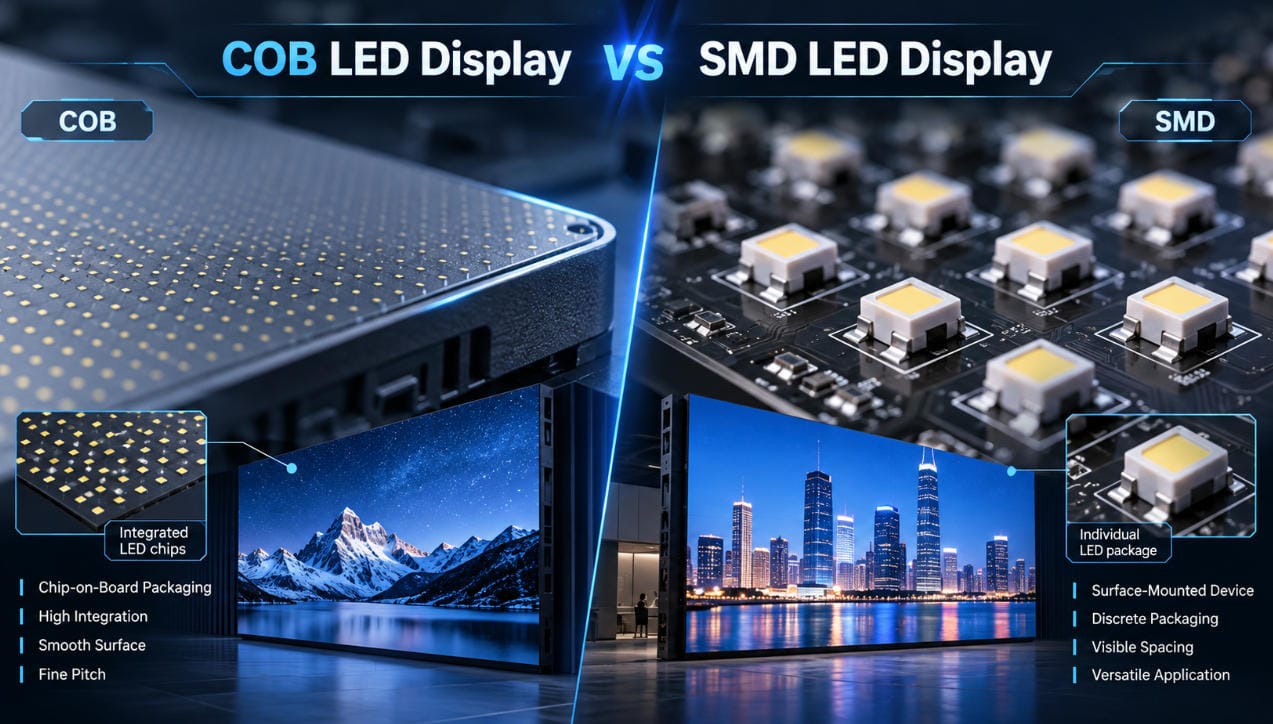
In conventional SMD displays, packaged LED components are mounted onto the PCB.
In COB displays, LED chips are integrated directly onto the substrate and protected by an encapsulation layer.
COB technology can provide advantages in surface protection and high-density packaging, particularly for close-viewing indoor applications.
However, identical pixel pitches do not guarantee identical visual performance or reliability.
The final result depends on chip quality, manufacturing processes, optical design, calibration, and driving electronics.
Pixel pitch should therefore be considered together with the display’s packaging technology and complete engineering specifications.
Conclusion
COB LED displays are available in several fine-pitch configurations intended for different viewing distances, resolutions, and application requirements.
Meitec’s published NOC product families cover nominal pixel pitches from P0.7 to P1.5, corresponding to actual pixel spacing from 0.78125 mm to 1.5625 mm.
P0.7 and P0.9 provide high pixel density for detailed professional visualization, while P1.2 and P1.5 can offer practical configurations for meeting rooms, control centers, and larger indoor installations.
The correct pixel pitch should be determined by native resolution requirements, physical screen dimensions, content detail, viewing distance, and complete system specifications.
For a detailed example of fine-pitch COB performance in a continuous-use environment, read Meitec’s COB LED display control room case study.
Related Technical Resources
These Meitec resources provide additional information about COB display design, product specifications, and pixel pitch selection:
- NOC Pro Series Full Flip-Chip COB Display — Detailed P0.7, P0.9, and P1.2 specifications, including cabinet resolution and physical pixel density.
- NOC Plus Ultra-Fine COB LED Display — P0.9, P1.2, and P1.5 configurations for professional indoor applications.
- How to Choose LED Pixel Pitch Without Overspending — Additional procurement guidance covering viewing distance, resolution needs, and project costs.