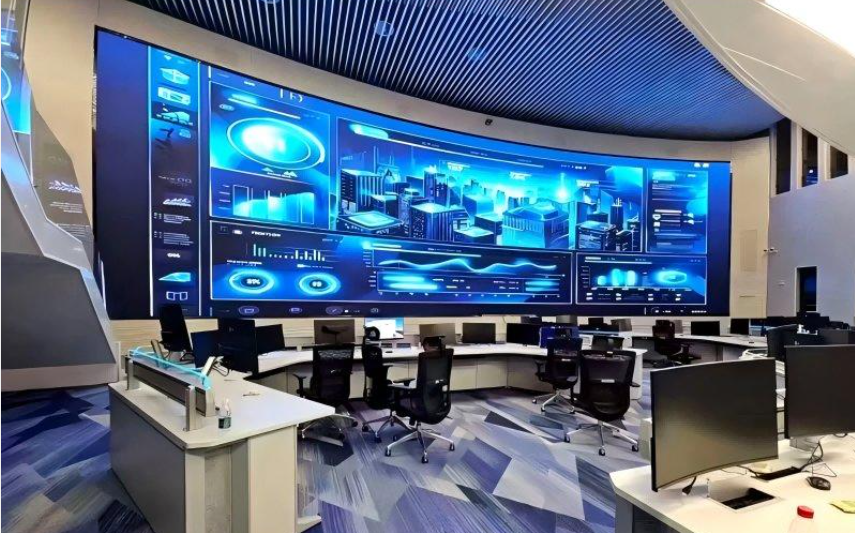
COB LED displays are maintained through regular surface cleaning, environmental inspections, electrical checks, fault diagnosis, and module replacement. Unlike conventional SMD displays, COB technology encapsulates LED chips beneath a protective layer, reducing exposure to dust, moisture, and physical contact. However, damaged COB pixels generally require specialized repair, so on-site maintenance focuses on replacing faulty modules and restoring display calibration.
1. How Do You Clean a COB LED Display?
The encapsulated surface of a COB LED display is relatively smooth, making routine cleaning easier than cleaning exposed SMD components.
Recommended cleaning procedures include:
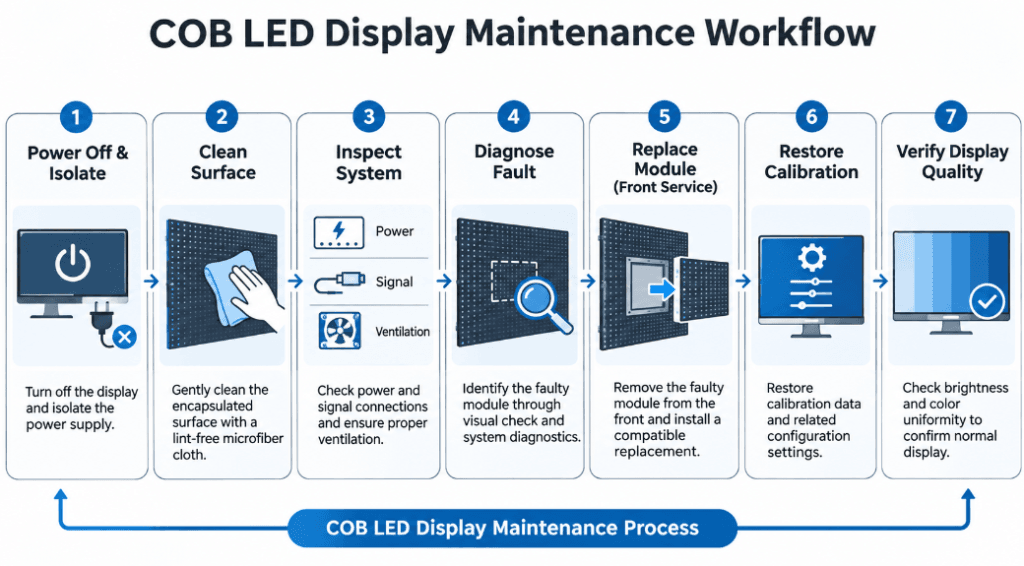
- Turn off the display and disconnect the appropriate power supply before cleaning.
- Use a clean, soft, lint-free microfiber cloth to remove surface dust.
- For persistent marks, follow the manufacturer’s approved cleaning procedure.
- Avoid abrasive materials, alcohol-based solvents, and aggressive cleaning chemicals unless specifically approved.
- Never spray water or cleaning liquid directly onto the display.
Although COB encapsulation improves surface protection, it does not automatically make the entire display waterproof. Moisture entering cabinet connections or internal electronics may still cause failures.
Cleaning frequency depends on installation conditions, airborne dust, and operating environments.
2. What Should Be Checked During Routine Maintenance?
Preventive maintenance helps identify potential problems before they affect display performance.
Technicians should inspect four main areas:
Display surface: Check for scratches, discoloration, dead pixels, abnormal brightness, or damaged encapsulation.
Power system: Inspect power supplies, connectors, voltage stability, and signs of overheating.
Signal transmission: Examine receiving cards, data cables, and communication connections for intermittent faults.
Cooling and ventilation: Remove accumulated dust from accessible ventilation openings and verify that airflow is not obstructed.
For installations operating continuously, maintenance records should document unusual temperatures, intermittent signal loss, and changes in brightness uniformity.
Inspection intervals should follow the equipment specifications and actual operating conditions rather than a universal schedule.
3. How Are Faulty COB LED Modules Replaced?
COB displays generally use a module-level repair strategy because individual LED chips are protected beneath an encapsulation layer.
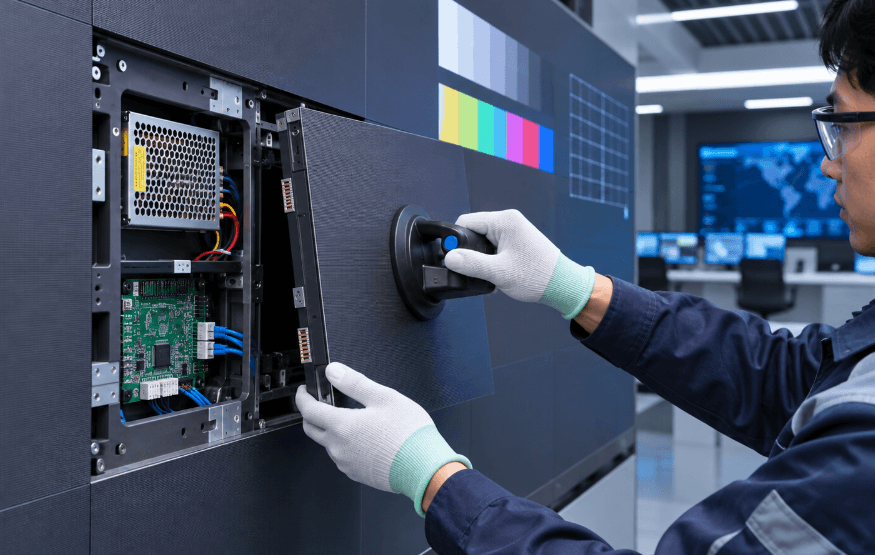
For example, the Meitec NOC Pro Series supports front maintenance, allowing authorized technicians to access display modules without requiring rear service space.
A typical replacement procedure involves:
- Identify the defective module through visual inspection and system diagnostics.
- Isolate the required power circuits and follow electrical safety procedures.
- Remove the module using the manufacturer’s designated service tools.
- Install a compatible replacement module with the correct specifications.
- Restore configuration and calibration data when necessary.
- Test the repaired area for brightness, color, and image consistency.
Technicians should avoid applying excessive pressure to the encapsulated surface during removal.
Unlike conventional SMD repairs, directly replacing an individual COB LED chip generally requires specialized equipment and controlled repair processes.
4. Does a COB LED Display Need Recalibration After Maintenance?
Recalibration may be necessary after module replacement, prolonged operation, or noticeable color differences.
Replacement modules can have different brightness characteristics, color output, or operating histories compared with surrounding modules.
LED display calibration corrects these variations by adjusting brightness and RGB output through the control system.
After maintenance, technicians should examine:
- Full-white and single-color test patterns
- Brightness differences between adjacent modules
- Color temperature and white balance
- Low-grayscale uniformity
- Visible seams or unusual color patches
When available, original calibration files should be backed up before maintenance and restored afterward.
Calibration improves visual consistency but cannot repair physically damaged LED chips.
5. How Can Common COB Display Failures Be Diagnosed?
Common symptoms should be investigated systematically rather than immediately replacing modules.
| Symptom | Possible Cause | Recommended Check |
|---|---|---|
| Black module | Power or signal interruption | Check cables and power supply |
| Color mismatch | Calibration inconsistency | Verify calibration data |
| Flickering | Signal or power instability | Inspect connectors and control settings |
| Dead pixels | LED chip or circuit damage | Diagnose and replace or repair module |
| Overheating | Restricted ventilation | Inspect airflow and operating temperature |
These symptoms are not exclusive to COB displays. Accurate diagnosis requires checking both the display hardware and control system.
For structural differences affecting repair methods, see COB LED Display vs SMD LED Display.
6. How Often Should COB LED Displays Be Maintained?
There is no universal maintenance interval for every COB installation.
Displays installed in clean, temperature-controlled meeting rooms may require less frequent cleaning than systems operating in dusty environments.
Operators should monitor image performance regularly, inspect electrical connections during scheduled service, and arrange additional inspections after abnormal operation or environmental incidents.
For 24/7 control-room installations, keeping compatible spare modules, configuration backups, and maintenance records can reduce service interruptions.
COB LED display maintenance primarily involves cleaning, preventive inspections, electrical troubleshooting, module replacement, and calibration. The encapsulated LED structure reduces exposure-related damage, but professional servicing remains essential when internal components fail. Following model-specific maintenance procedures helps preserve display reliability and consistent image quality.